
Bobby's Daycare Controls & Recommended Settings
PC and mobile inputs, plus the audio/graphics setup the horror loop expects.
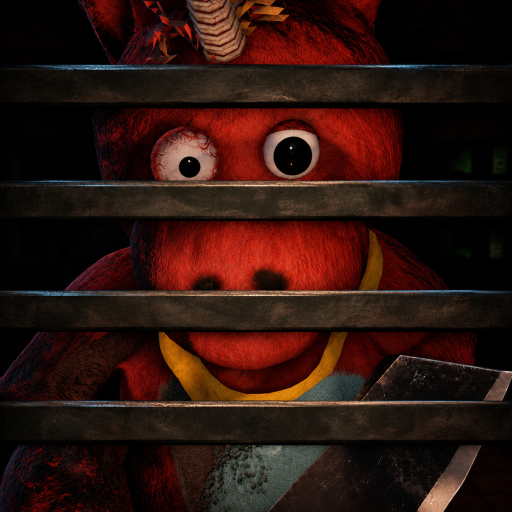
Why settings are part of survival
Bobby’s Daycare [HORROR] is playable on all devices, including mobile, with online co-op up to 30 players. The developers explicitly recommend headphones and max graphics. That is not flavor text—glitchy TV teleport cues, footsteps, and jumpscare tells are easier to parse when audio is clean and the daycare is lit enough to read props.
This guide covers practical PC and mobile control habits, then the settings that make How to Avoid Bobby and Cleaning Tasks actually executable.
Roblox baseline movement (PC)
Exact keybinds follow your Roblox client settings, but most players use:
| Action | Typical PC default |
|---|---|
| Move | WASD |
| Camera | Mouse |
| Jump | Space |
| Sprint | Shift (if enabled in experience / shiftlock habits) |
| Interact / pickup | E or click prompt |
| Menu / Codes UI | In-experience button (on-screen) |
Sneak vs sprint discipline matters more than remapping. When Bobby is nearby, prefer walk/sneak movement even if your fingers love Shift. After a spot, sprint only long enough to break line of sight, then hide.
Enable shift lock only if it helps you keep camera awareness in halls; some players prefer free cam for checking TV rooms quickly.
Mobile controls
Mobile is fully supported, but horror audio on phone speakers is weak.
| Tip | Why |
|---|---|
| Use a controller or careful thumb placement | Reduces accidental sprint into Bobby’s view |
| Wear headphones | Hear glitch teleports over daycare ambience |
| Lower UI clutter if needed | Makes Codes button and prompts easier mid-panic |
| Play on stable Wi-Fi | Teleport/aggro moments feel worse with lag spikes |
| Brightness up in dark rooms | Helps spot trash cans and dolls without spinning endlessly |
If your device cannot hold high graphics, prioritize audio clarity over shadows. Missing a glitch cue costs more than a prettier reflection.
Recommended settings stack
Audio
- Headphones (wired or low-latency Bluetooth).
- Game volume high enough to catch subtle glitch stingers without clipping jumpscares into pain.
- Mute unrelated Roblox app sounds / Discord overlay ding spam during Night 5.
- In co-op, leave one ear for teammates’ short callouts—or use push-to-talk so screams do not mask Bobby.
Graphics
- Push toward max on PC as the page recommends.
- On mobile, raise graphics until frame rate stays playable—then stop.
- Disable heavy experimental effects if they tank FPS mid-chase; stable frames help hide timing.
- Make sure trash cans and toy box reads remain visible; muddy potato mode hides objectives.
Accessibility / comfort
Content warnings include flashing lights, loud noises, and jumpscares. If you are photosensitive or audio-sensitive:
- Lower master volume and sit farther from the screen.
- Take breaks between nights.
- Prefer smaller co-op groups so surprise noise from teammates stays controlled (Players Hub).
Codes button & menus
Promo redemption uses the in-game Codes button after you are in a server. There are no working codes as of November 2026, but knowing where the button lives prevents fumbling during events—see Codes Hub. Do not confuse menu browsing with “safe AFK”; Bobby does not pause because you opened UI.
Control habits that win nights
- Pre-bind your brain: sneak near Bobby, sprint only for escape.
- Interact discipline: never mash pickup near a red balloon.
- Doll hands: once you pick a doll, your next interact should be the toy box, not a random can.
- Camera checks: peek TV rooms after glitch audio before committing down a hall.
- Co-op spacing: do not stack four characters on one prompt—prompts get messy and noise stacks.
Device-specific failure modes
| Device issue | Result | Fix |
|---|---|---|
| Phone on speaker | Missed TV glitch | Headphones |
| Ultra-low graphics | Missed cans/dolls | Raise until readable |
| High ping mobile data | Late hide prompts | Wi-Fi |
| Tiny tablet UI | Accidental balloon interact | Bigger device or careful zoom |
| RGB keyboard macros | Surprise sprint | Disable macros in horror sessions |
Practice routine (15 minutes)
- Join a low-stakes lobby and walk a full wing without sprinting.
- Trigger a safe interact on trash only—practice canceling if you hear odd audio.
- On PC, practice 180° camera checks at hallway T-junctions.
- On mobile, practice thumb sprint bursts into a pre-chosen hide prop.
- Review Getting Started checklist before Night 1 proper.
Scripts note
Executor menus (Scripts Hub) can remap movement with fly/noclip. That is a separate, account-risk topic. This controls page assumes legitimate Roblox input. Learn real movement first so Chapter 2 / Benny’s Entertainment (Updates) does not feel impossible on a clean client.
Related pages
Headphones on. Graphics up. Sneak key ready. The daycare is already listening.
Frequently Asked Questions
Quick answers for surviving your overnight shift.
Does Bobby's Daycare work on mobile?
Yes. The experience is playable on all devices. Use headphones on mobile so you do not miss teleport audio cues.
What settings do the developers recommend?
Headphones and max graphics. Both improve awareness of audio cues and readable environments during stealth.
Where is the Codes button?
Open the in-game Codes UI from the experience HUD/menu after you join a server. No codes are working as of November 2026.
Should I sprint all the time?
No. Sprint in the early quiet window or when escaping a spot. Sneak whenever Bobby is nearby and unbroken line of sight is risky.